Fill & sign
Complete supported forms, place handwritten signatures and add annotations.
 PaperPath
iPhone & iPad
Merge, split, compress and OCR PDFs offline on iPhone and iPad. Fill, sign and redact when you need more. Keep your originals.
Coming soon to the App Store · Planned launch price
Your documents stay in your hands.
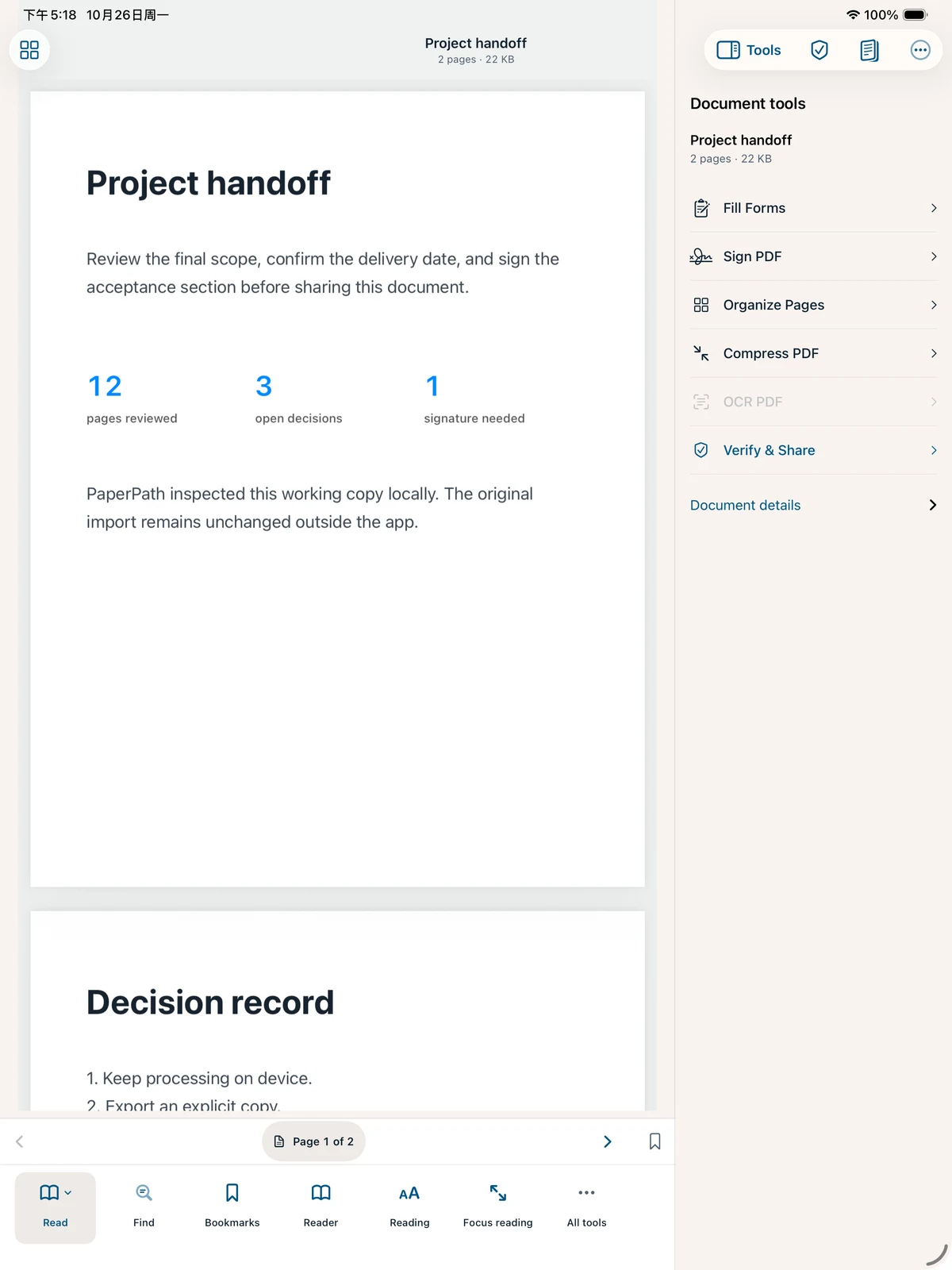
Your original stays intact.
Your next step stays clear.
One document. One clear path.
A contract to sign. A scan to search. A client file to redact. Keep the work together, from import to handoff.
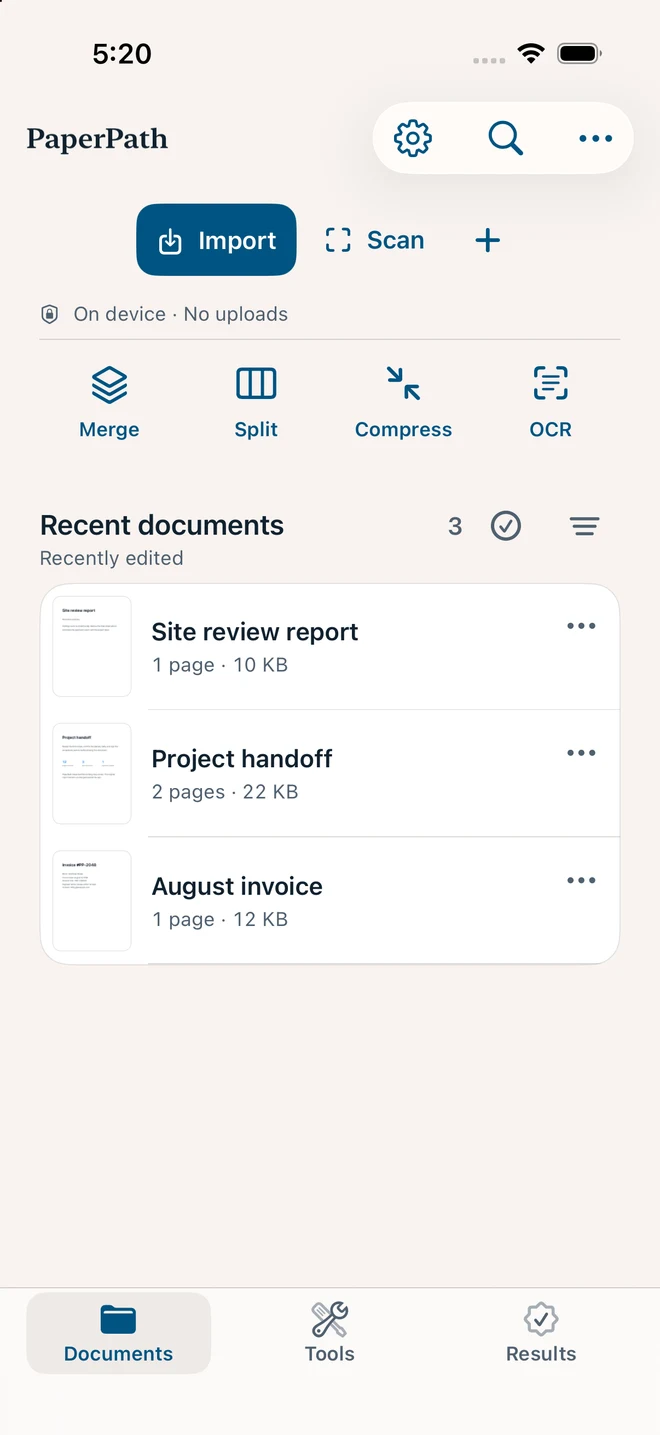
Import from Files or scan paper pages. PaperPath creates a private working copy of your imported PDF.
PDF import · Document scanningFill forms, place a signature, organize pages or recognize scanned text. Choose the next action for this document.
Forms · Signatures · OCR · Page toolsReview private details and preview the result. Verified Output reopens its flattened copy and records file checks.
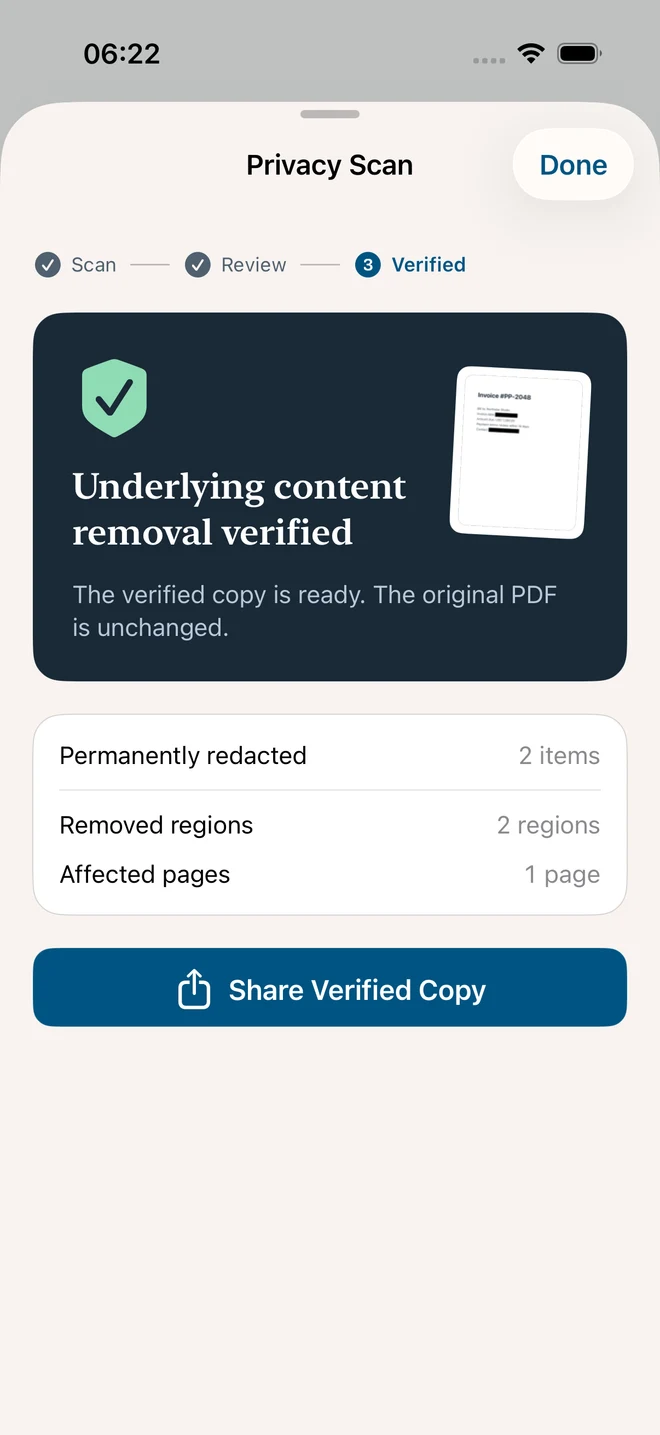
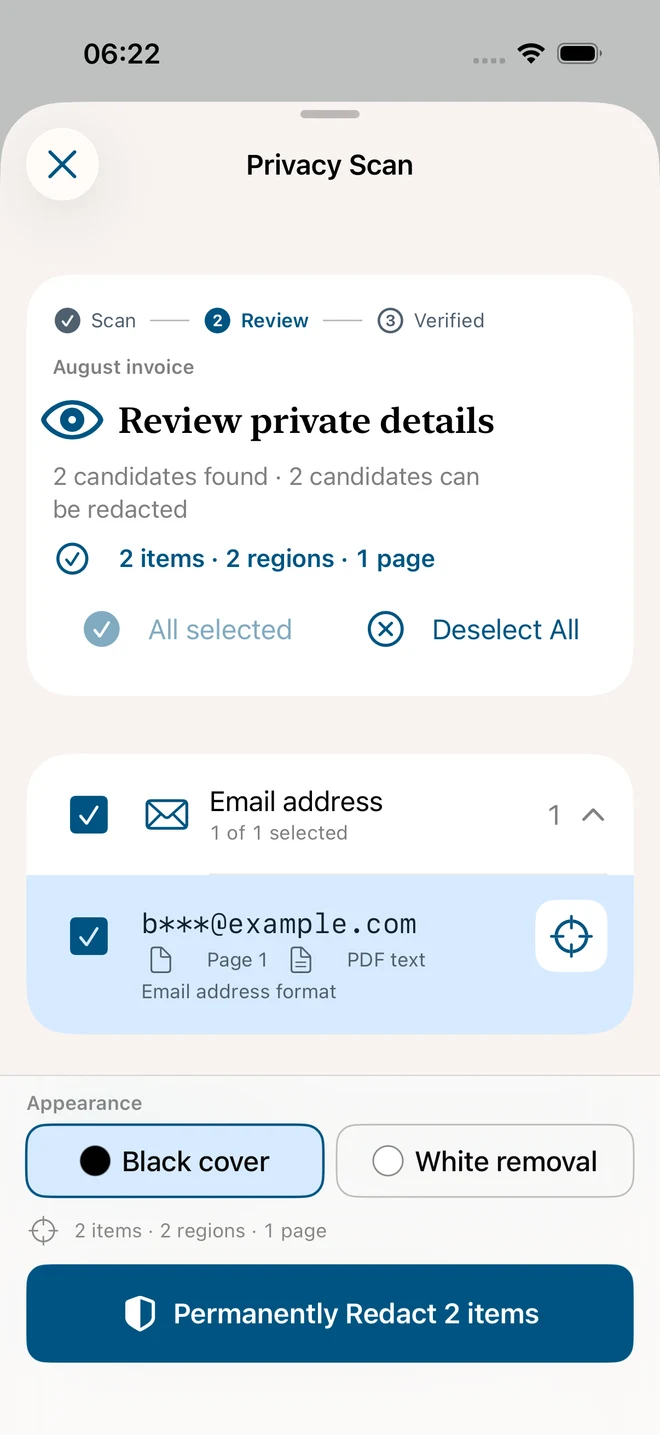
Redaction · Output preview · Delivery receiptsPrivate details deserve a closer look.
Look for supported kinds of sensitive information locally. Check the candidates on the page, then choose what belongs in your shared copy.
Review detected candidates by type and page. Jump back to the PDF to see each one in context.
Confirm the selected regions and removal style before creating a permanently redacted copy.
Review the result and removal checks. The imported original remains unchanged.
Automatic detection can miss information. Review before sharing. Image-based redacted or flattened copies can lose searchable text, links, forms and editable layers. Checks do not certify content, identity or legal compliance.
The tools behind the handoff.
Complete supported forms, place handwritten signatures and add annotations.
Review scans, run on-device OCR and make searchable PDF copies.
Merge, split, reorder, rotate, crop and compress documents.
Export to Office, images or text. Review formatting before using the result.
Space for the document.
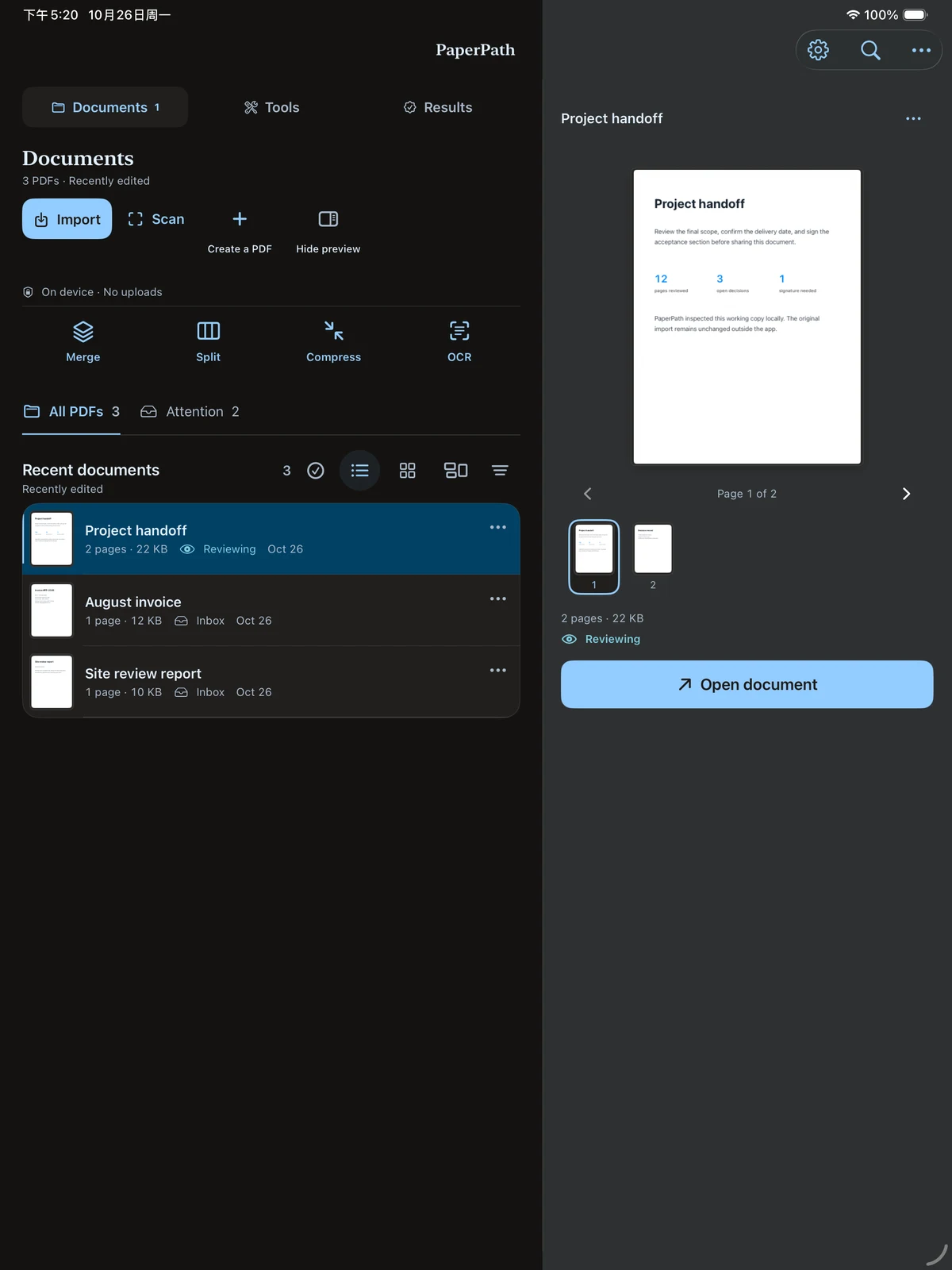
Keep the document in view while choosing tools. A dedicated iPad workspace gives your PDFs room; iPhone keeps the next action close.
Native iPhone and iPad app. iOS / iPadOS 17 or later. Mac support has not been announced.
A tool you buy once.
Pay once to download PaperPath for iPhone and iPad. No PaperPath subscription. No account to create.
SupportUS$9.99
One-time paid download
Coming to the App Store
Planned US launch price. Local prices and availability will appear on the App Store.
Core PDF processing, OCR and privacy detection run on your device. System sharing and optional iCloud metadata sync use the services you choose. Metadata sync does not sync PDF files.
It creates an image-based flattened copy, reopens its pages and records file checks. It does not certify content accuracy, signer identity or legal compliance. Flattening removes searchable text, links, forms and editable layers.
No. The planned launch model is a US$9.99 one-time paid download, with no separate PaperPath Pro unlock. The App Store will show the local price when available.
The current release is designed for iPhone and iPad. Mac compatibility is still unverified, so Mac support is not included in the launch promise.
The private document library is excluded from automatic device backups. Optional iCloud metadata sync does not back up PDFs. Export important documents before deleting the app or changing devices.
Merge, split, compress and OCR run on your device. Downloading PaperPath, Apple purchases and optional iCloud metadata sync use the internet. Sharing or exporting may send files to the destination you choose.
Merge supported unlocked PDFs and drag the selected sources into order before creating the combined copy. Original files stay unchanged. Resource limits still apply to large jobs.
Choose Readable, Balanced or Compact and review a sampled size estimate. Compression rebuilds pages as images and removes searchable text, links, forms and editable notes. If the rebuilt copy would be larger, PaperPath keeps the smaller original.
Keep the original. Share with care.
Explore PaperPath